Aiseesoft iPhone Transfer for Mac Publisher Review:
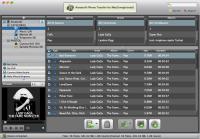
Aiseesoft iPhone Transfer for Mac is an all-in-one tool for iPhone users to export iPhone music, movies, camera roll, picture, voice memos, camera shot, and ringtone to Mac, and import iPhone video, audio, photo and ringtone to Mac without any loss.
Aiseesoft iPhone Transfer for Mac is an all-in-one tool for iPhone users to export music, movies, camera roll, pictures, voice memos, camera shot, and ringtone from iPhone to Mac directly, and import iPhone video, audio, photo, and ringtone files to Mac without any loss. Also it allows you to convert those incompatible files(video, audio and DVD) to iPhone compatible formats, then import them to iPhone directly. You can even copy iPhone files to iTunes for backup. Moreover, it can transfer files between different iOS devices(iPad, iPhone and iPod) now after upgraded.
Key Functions
1. Transfer files between iPhone and Mac
Aiseesoft iPhone Transfer for Mac can export iPhone video, audio and photo files to Mac and transfer local files to iPad.
2. Convert DVD/video/audio to iPhone
With this software, you can convert the incompatible DVD, video and audio files to iPhone compatible video and audio formats.
3. Transfer iPhone files to iTunes
The Mac iPhone Transfer can fast and easily transfer iPhone files to iTunes for backup.
4. Manage iPhone playlists
You can create, delete and manage the playlists and its contents.
5. Auto operation
Once you connect your iPhone to Mac, this transfer can identify your device information automatically. And the search function can help you quickly find your files by the category of Name/Album/Artist/Genre.
6. Show the number of files automatically
This iPhone Transfer for Mac can count the number of files your selected, succeed and failed automatically. Whats new in version 6.1.20: Transfer files between different iOS devices(iPod, iPhone and iPad). Requirements: 512MB RAM, Super VGA (800×600) resolution, 16-bit graphics card or higher. Operating system: Mac OS X,Mac Other,Other Release notes: Major Update
Riptoo Audio Converter is a professional powerful all-in-one audio converting solution and MP4 to MP4 converter.
Price: $19.95, Rating: 10, Downloads: 174 Download
Ripping Blu-ray discs and DVD movies to iPhone-supported video formats;Converting Blu-ray discs and DVD movies to audio formats like M4A, WAV and MP3;Ripping Blu-ray discs and DVD movies to iPod videos;Converting Blu-ray discs and DVD mo
Price: $35.95, Rating: 7, Downloads: 159 Download
XFreesoft DVD Creator for Mac is a super easy DVD creator for Mac users to burn video to DVD. All DVD editing and conversion processes can be done with the most excellent quality and the fastest speed by using XFreesoft DVD Creator for Mac.
Price: $19.95, Rating: 6, Downloads: 110 Download
Power DVD Rip Studio is a powerful DVD copying and ripping software which can rips DVD to AVI, DVD to MPEG, DVD to WMV, DVD to WAV, and DVD to SVCD formats...
Price: $29.95, Rating: 9, Downloads: 102 Download
WinX Bluray DVD iPhone Ripper helps you rip/convert Blu-ray DVD to iPhone iPod MP4 H.264 video for smooth playback on your iPhone as well as iPad, iPod, iPod touch and Apple TV.
Price: $19.95, Rating: 6, Downloads: 100 Download
User Rating
Rating:0.0 out of
5 Based on0 ratings.
0 user reviews.

 Aiseesoft iPhone Transfer for Mac 6.1.20 details